Help Shape PhotoRobot Controls with Feature Requests

Help Shape PhotoRobot Controls with Feature Requests

Become an active participant in the development of PhotoRobot Controls software using the Controls Feature Requests Board.

Save time and summarize this page’s content
Choose your tool to generate a summary of this page:

Introducing the PhotoRobot Feature Requests Board 

The Feature Requests Board in PhotoRobot Controls welcomes PhotoRobot customers to participate in the development of their software. Submit new feature requests, vote on existing requests, and help shape what PhotoRobot prioritizes next. 

Welcome to the PhotoRobot Feature Requests Board.

When you use software every day, you know what you need to ensure faster, clearer, and more reliable operations. The Feature Requests Board provides a single place to share ideas for the development of PhotoRobot software tools. At the same time, you can see what others in the PhotoRobot ecosystem care about, and vote for upcoming features. 

Why Open a Public Feature Requests Board

While support tickets are perfect for troubleshooting specific issues, feature requests present a roadmap to the product’s future. Feature requests help to illuminate what capabilities many customers might want. Presenting requests on a shared board then helps bring to light the bigger picture of what to prioritize next. It allows us to:

  • Group similar needs rather than losing them in one-off tickets.
  • Show demand for features through votes and linked feedback.
  • Update the status of feature requests in one place.
  • Share the story with everyone (under review, planned, in progress, released).

How to Access Feature Requests in Controls

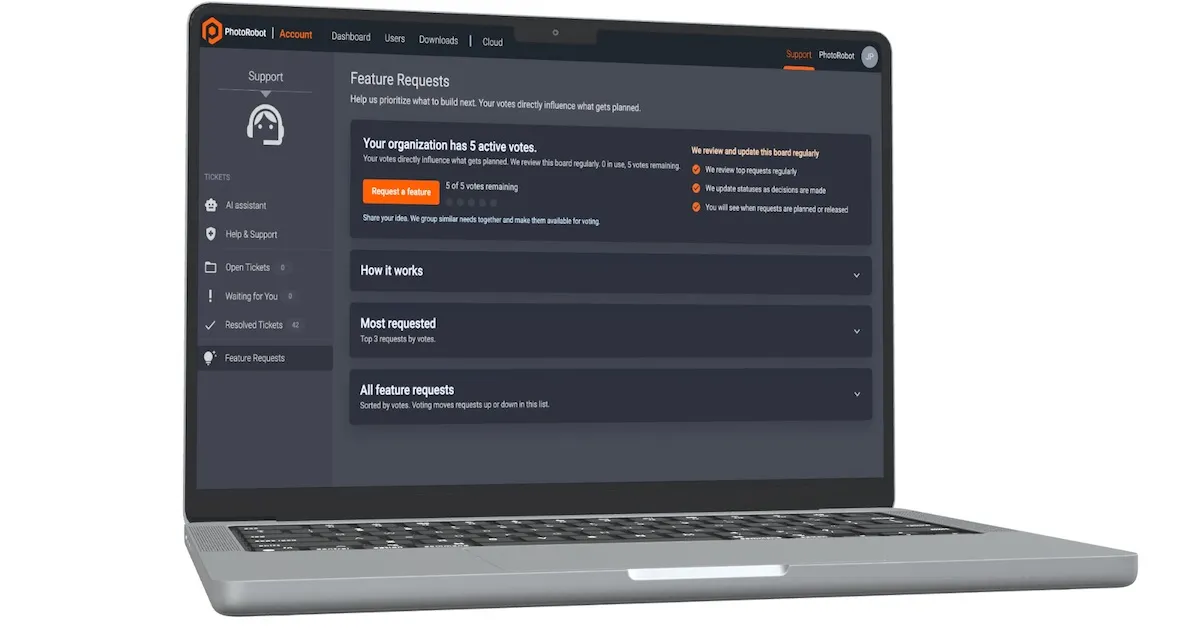
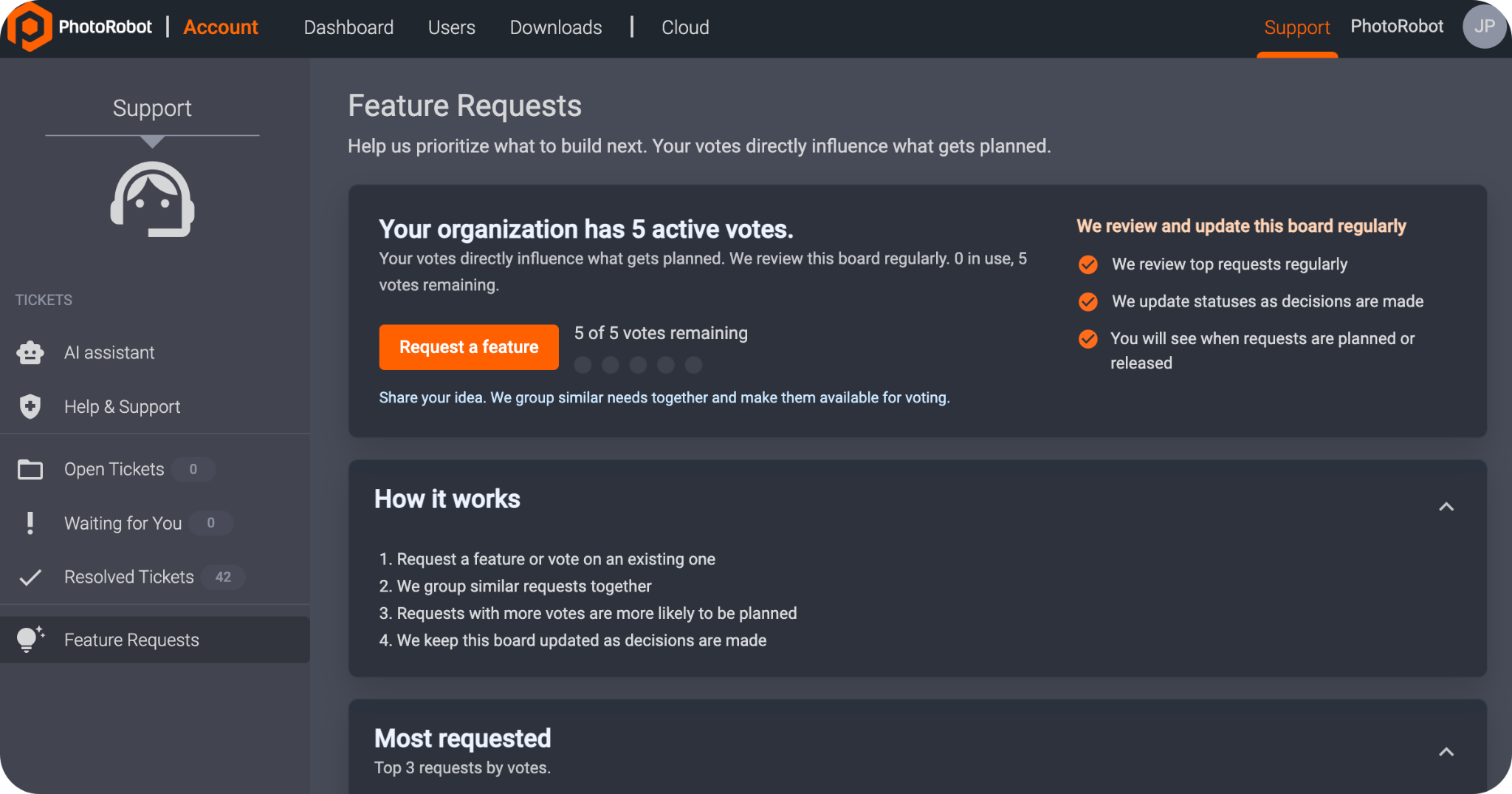
To find Feature Requests in Controls, log into your PhotoRobot Account, and navigate to the Support interface. Then, in the left sidebar, click Feature Requests to access the board.

Each request has a direct influence on what we prioritize and plan next. 

You can browse existing requests on the board, open individual requests, and request a feature if nothing on the list matches your needs.

How PhotoRobot Feature Requests Work

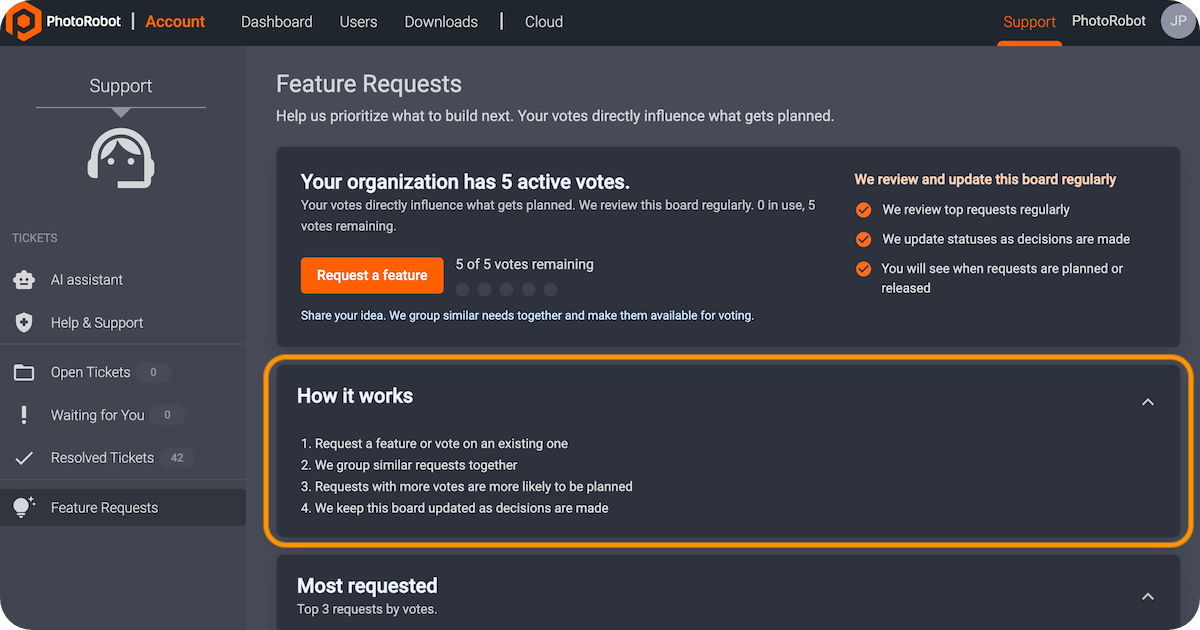
The short explanation of how Feature Requests work is also on the board in the “How it works” panel. In general, the flow involves the following elements.

  1. Request a feature or vote on something already on the board.
  2. Grouping similar requests ensures relevant feedback helps to strengthen a request item rather than scattering it.
  3. Items with stronger demand are more likely to move toward planning stages. 
  4. Status updates communicate decisions as we make them.

Note: When making decisions on planning, it is a promise of process, not a guarantee of shipping order. Engineering, security, and roadmap constraints still apply. Nonetheless, this ensures that prioritization is transparent, visible, and fair.

Voting on the Feature Requests Board

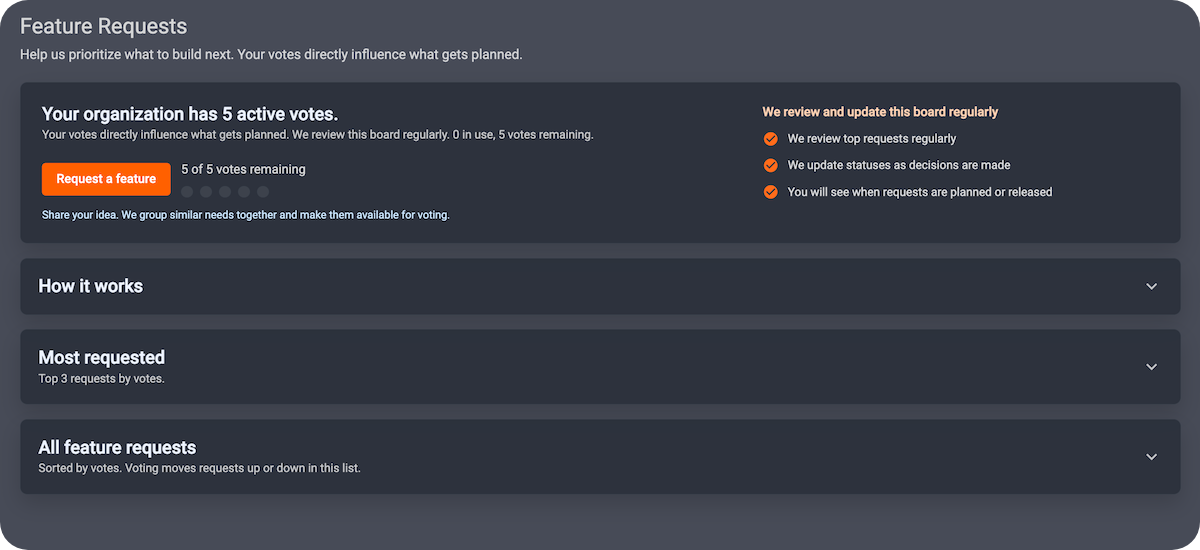
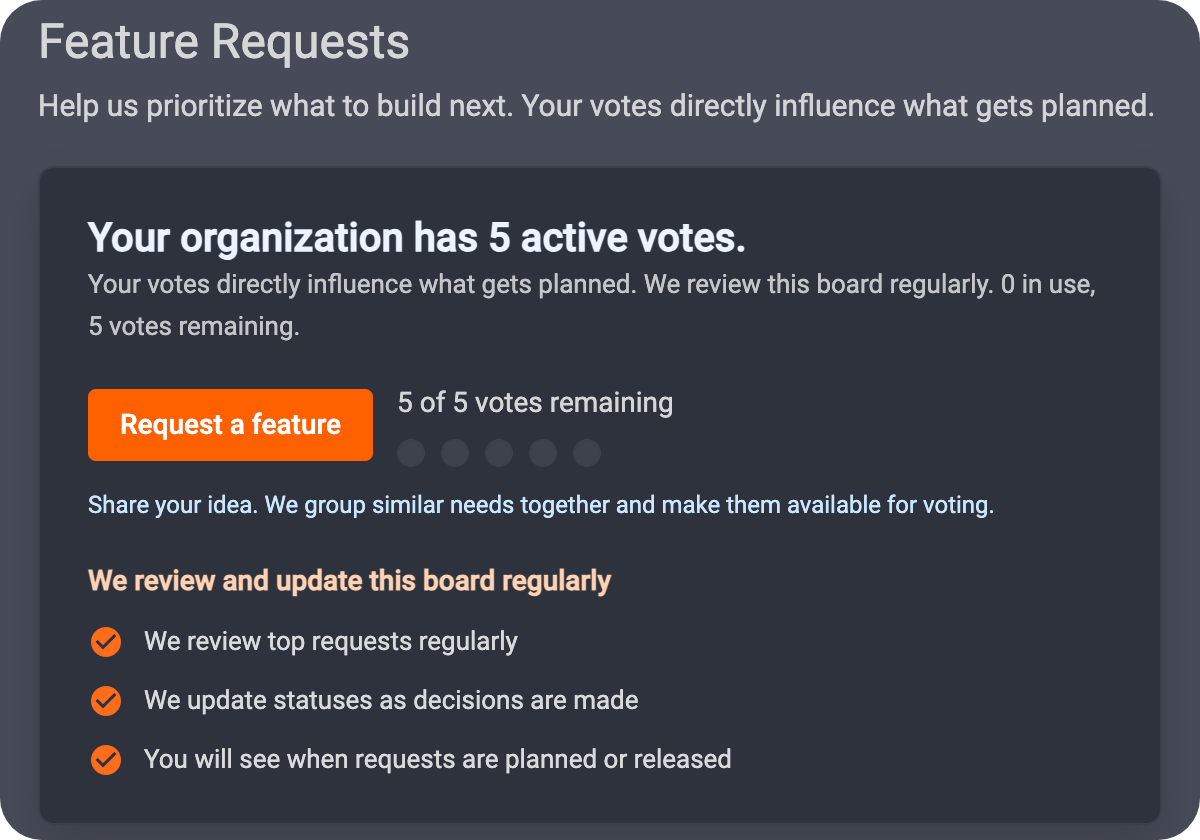
All organizations receive a limited number of active votes at any time. Regarding the voting process, the board displays the following information.

  • How many votes you have available in total
  • How many of votes already in use
  • How many votes remain

The total number of votes available relate to your organization, not to a single person’s personal quota. Think of each vote as saying that “this is one of the five features we care most about right now,” rather than being simply five guesses per user. 

When voting for an item, you spend one of your organization’s available votes until the request arrives at a closed outcome. For example, a closed outcome could be “released,” or “not in planning for now.” After which point, the voting rules may no longer apply to that specific entry.

Tip: Vote on ideas you would genuinely adopt into your workflows, or that would alleviate friction of some kind. Each vote is a signal that helps us compare options, and to identify the best course of action for the entire ecosystem.

Requesting a New Feature

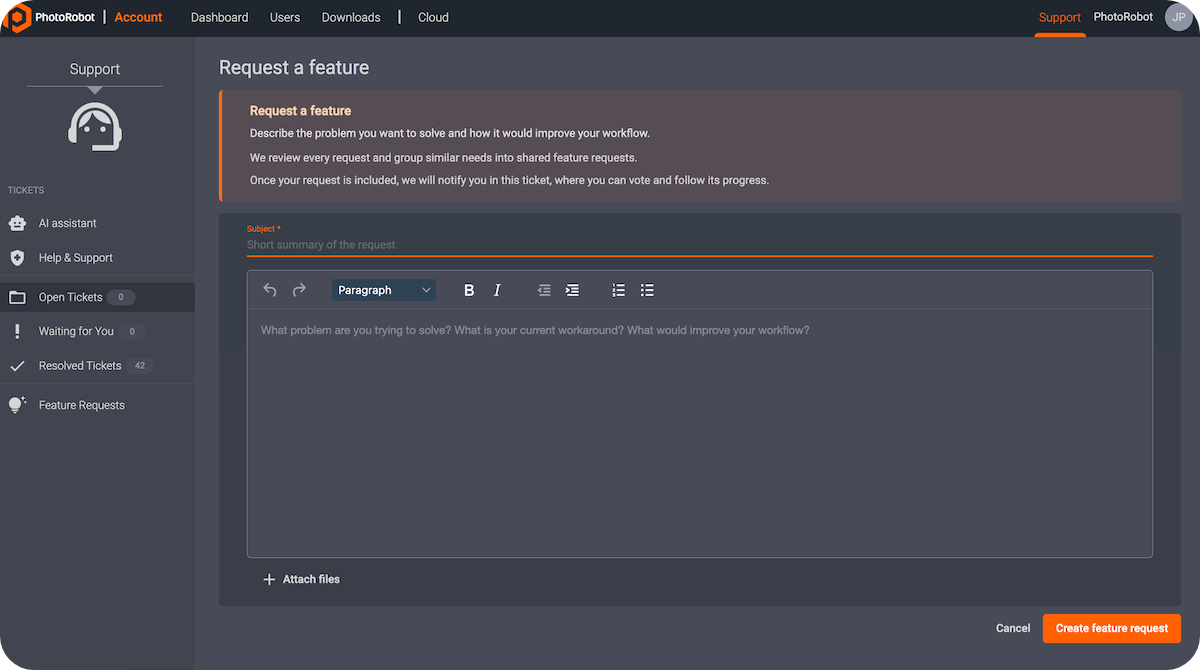
Clicking Request a feature will open the create ticket flow, which is fine-tuned for product ideas. It provides guidance on what to describe, prompts for the problem you are solving, and a clear subject line.

All submissions then become a support ticket with a tag marking it at as a feature request. This allows the PhotoRobot team to begin understanding the details of the request, before following up with you directly. We then often merge that need into a board item that others can vote on. Thus, you are not shouting into an empty void, and the ticket remains in the thread so that we can notify you as the request progresses.

If you start from an existing feature request, note that your ticket will automatically link to that feature request, connecting the two in context.

Reading the Feature Requests Board

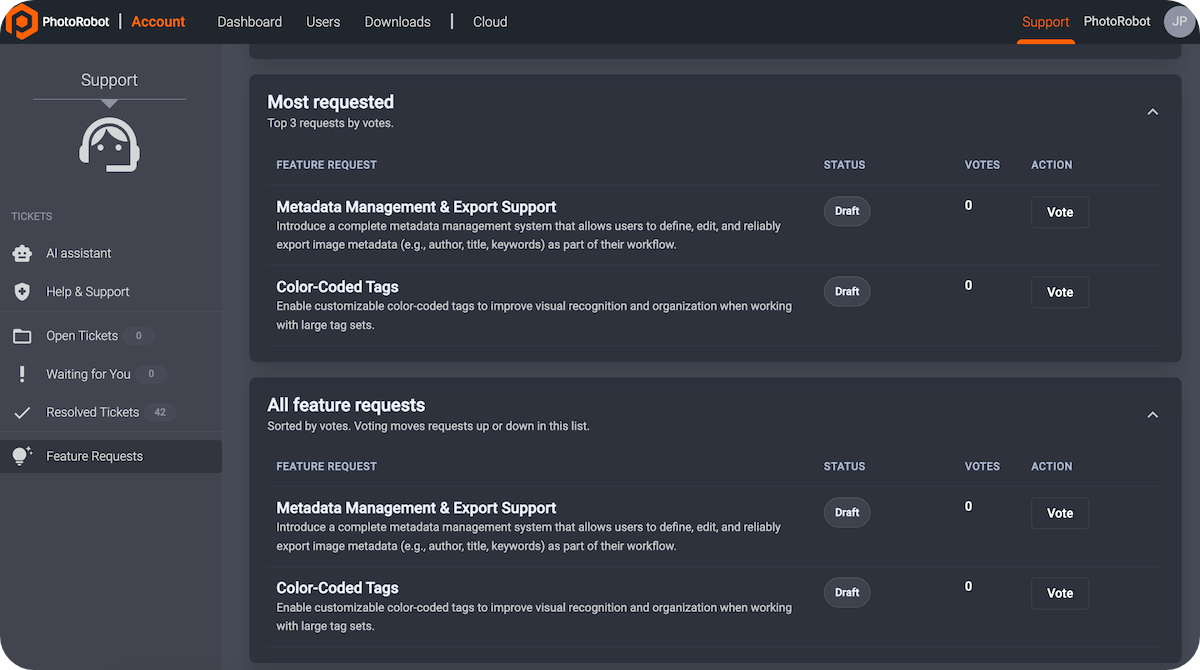
Each request published displays its title, summary, and status. Status communicates whether the request is still in review, in planning, in development, or already shipped. The status may also communicate that we decided not to pursue something for now.

It is possible to sort and to explore the list (for example, by demand or title) depending on what the UI offers. 

  • The Most requested panel highlights items that are gaining traction. This allows you to align your votes with broader customer interest if you choose. 
  • The All feature requests panel displays items by number of votes, while voting moves items up or down the list.

Following Your Existing Tickets

When one of your tickets links to a feature on the board, you will see a Feature request card on the ticket sidebar. The card will show the request’s public title, summary, and its status plus a way to open the board entry in a new context. This helps ensure clear orientation, without needing to hunt for the correct entry.  

What Feature Requests Are Not

Be aware that the Feature Requests Board is not a replacement for urgent support. If production is down or you are experiencing a blocker, open a normal support ticket. We will respond through our usual support workflows.

Moreover, items on the board do not represent a commitment. We intentionally handle feature tickets differently from time-sensitive support tickets. This means that feature tickets may thus stay open longer while we evaluate and schedule work.

Contribution to Improve the Entire PhotoRobot Ecosystem

In the end, the Feature Requests Board exists so that your feedback aggregates into something measurable, and so that we can better communicate back. Use your vote to align with your organization’s priorities, submit ideas when the board does not cover your case yet, and watch statuses as the roadmap evolves. The PhotoRobot team regularly updates the board as decisions land, while your participation helps improve the product for everyone.